🚚 Welcome to the new home 🏠

After more than 14 years on WordPress, this site has a new home — built with Hugo and hosted on statichost.eu, a privacy-friendly hosting service with no cookies, no tracking, and no Big Tech dependencies. The move wasn’t just about changing address. It was a chance to start fresh: a cleaner design, a faster site, and a single place for all my apps. Speaking of which — this is no longer just a PhotInfo site. Say hello to Newsairy, an RSS/Atom/JSON reader for iOS launching on May 13th. ...

May 9, 2026 · enrico

PhotInfo 8.22 & NG 4.22

PhotInfo 8.22 and PhotInfo NG are now available on the App Store. This update introduces a new option in Settings that lets you override the system appearance and force Light or Dark mode, giving you more control over how the app looks. The release also fixes an issue affecting batch editing, as well as a problem where the sidebar view on iPad did not update correctly. As always, thank you for using PhotInfo and for all the feedback that helps improve the app.

January 7, 2026 · enrico

📣 PhotInfo — Press Kit Updated

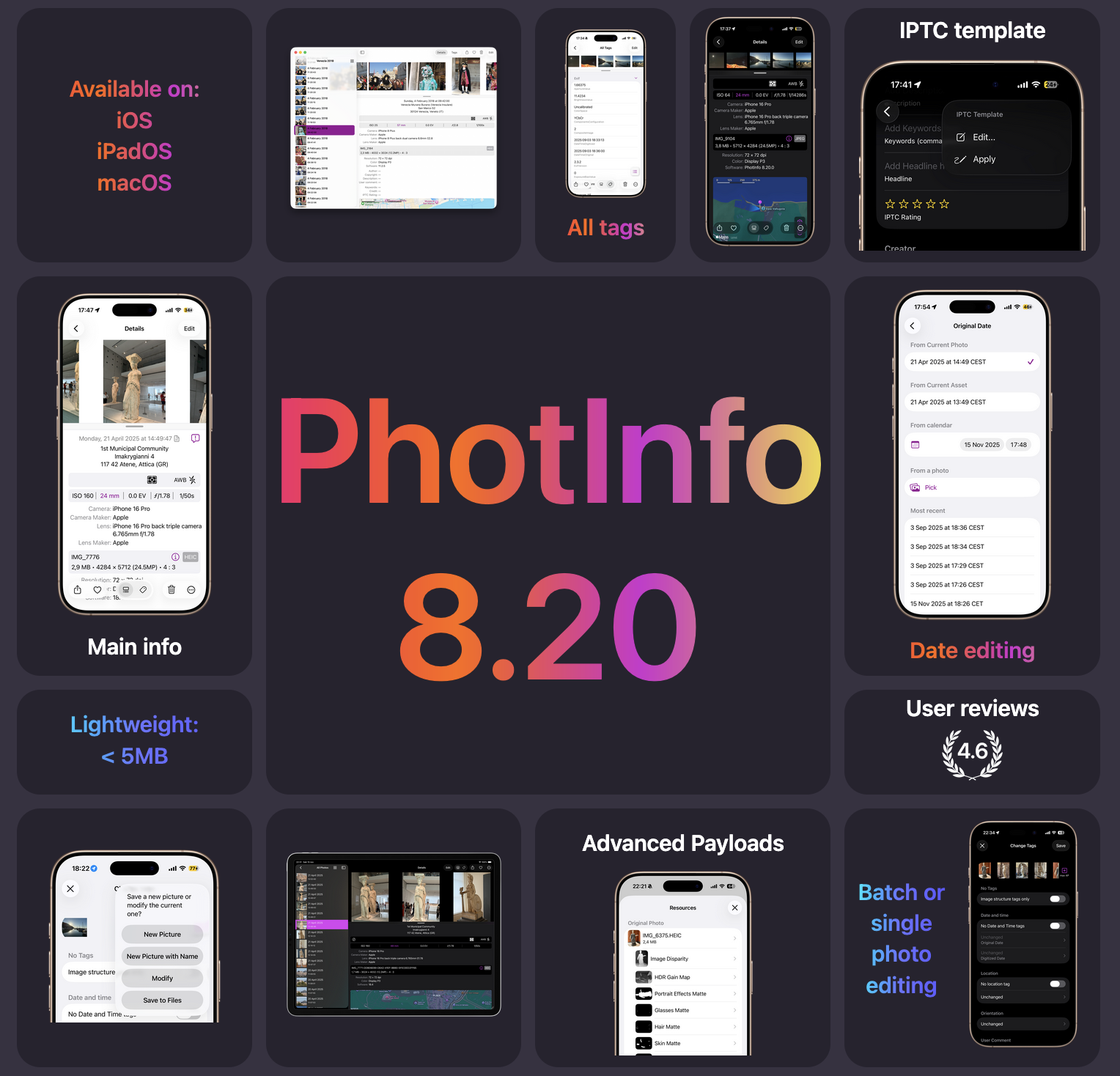
PhotInfo keeps evolving. The updated press kit for version 8.20 is now live, showcasing the app’s journey, core features, and design philosophy across iOS, iPadOS, and macOS. Whether you’re a photographer, privacy-conscious user, or metadata enthusiast, PhotInfo gives you full control over your photo’s EXIF/IPTC tags — with a clean interface, powerful editing tools, and native performance. 🔗 See the press kit: photinfo.github.io/presskit PhotInfo 8.20

December 23, 2025 · enrico

PhotInfo 8.21 & NG 4.21

This update introduces a new option to disable reverse geocoding — a sort of paranoid mode 😆 for those who prefer to share absolutely no data. With this setting, even the information normally used to convert coordinates into human‑readable addresses is withheld, so you’ll only see raw latitude/longitude values without place names. The update also includes small optimizations and refinements to improve performance and usability across iOS and macOS. 👉 Download PhotInfo on the App Store

December 18, 2025 · enrico

PhotInfo 8.20 & NG 4.20

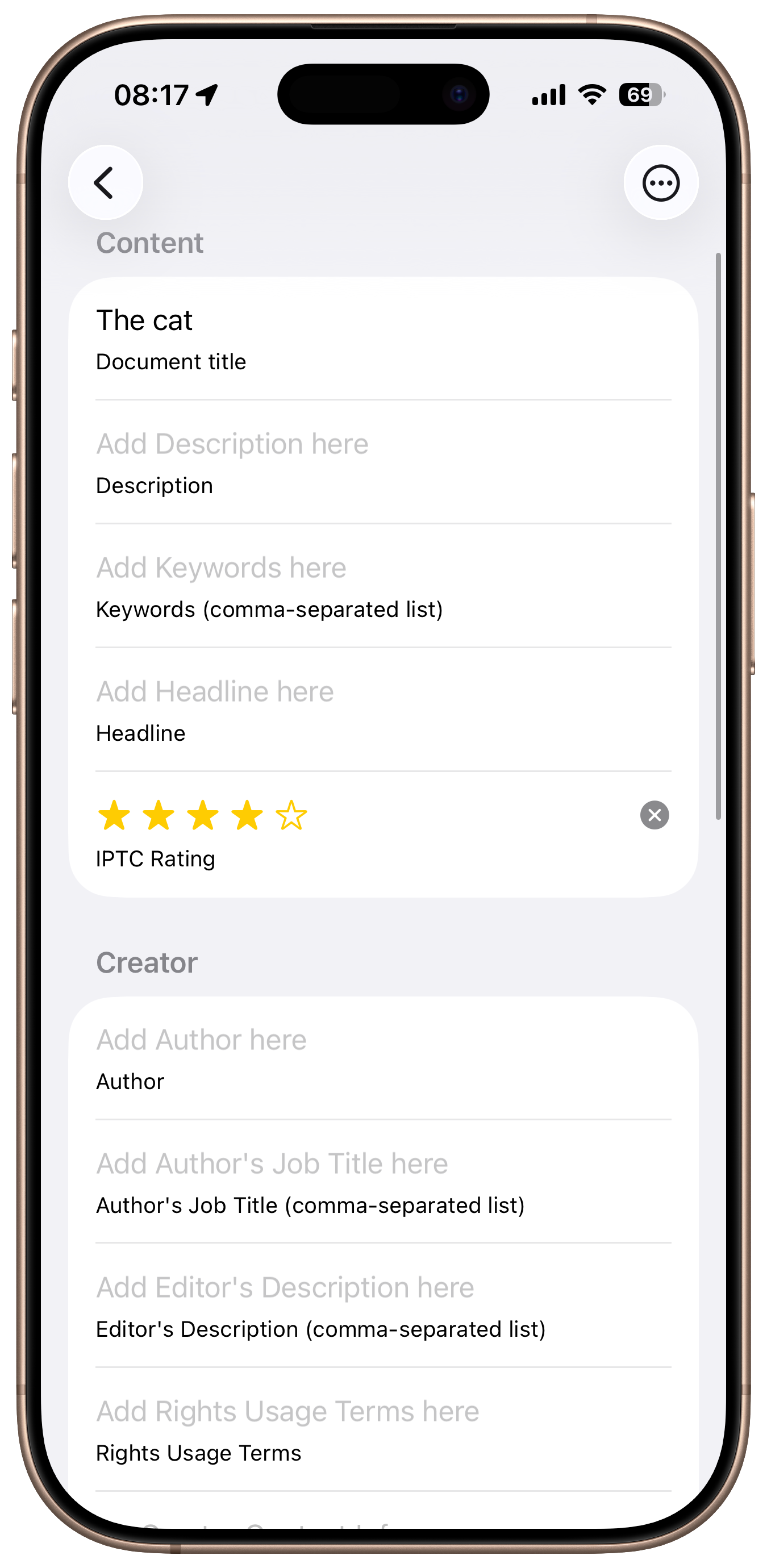
PhotInfo 8.20 and PhotInfo NG 4.20 are now available on the App Store. PhotInfo 8.20.0 IPTC tags This version introduces a completely rewritten view for editing IPTC tags, built with SwiftUI for a more consistent interface across iOS and macOS. As part of Black Friday and Cyber Monday, PhotInfo is offered at a 66% discount — and the deal is still available until December 4. ...

December 1, 2025 · enrico

🎉 PhotInfo Black Friday Discount — 66% Off

PhotInfo is now available at a special Black Friday discount on the App Store. From November 21 to December 4, you can download PhotInfo at 66% off. PhotInfo helps you view, edit, and manage photo metadata (Exif, IPTC, etc.) with a clean, native interface. Whether you’re a photographer, archivist, or simply privacy‑conscious, this is the best time to add PhotInfo to your toolkit. 👉 Download PhotInfo on the App Store This limited‑time offer is our way of saying thank you for supporting indie apps. ou can also discover more indie app deals at IndieAppSales.

November 22, 2025 · enrico

PhotInfo 8.17.1 & NG 4.17.1

PhotInfo 8.17.1 is now available on the App Store. This update focuses on subtle refinements to the interface — the kind that make the app feel just a bit more polished and intentional. What’s New 🖼️ Custom icons for two Smart Albums: “Screen Recordings” “Dual Capture” These now appear with their own visual identity in the Smart Albums section of the initial view. ...

November 9, 2025 · enrico

PhotInfo 8.17.0 & NG 4.17.0

We are excited to announce the releases of PhotInfo version 8.17.0 an PhotInfo NG 4.17.0! This updates brings several refinements and improvements to enhance your photo metadata editing experience. What’s New Animate Map Movements Setting: You can now toggle smooth animations for map movements while moving between photos. Improved Map Visibility: The map view in the Details screen will automatically hide when no location data is available, reducing clutter and focusing your attention on relevant information. Settings Management Overhaul: We have reviewed and improved the internal handling of all preferences to ensure greater stability and reliability. Bug Fixes: Fixed an issue causing undesired line separators between cells in beta versions of iOS 26.1, polishing the overall interface. Thank you for your continued support and feedback. ...

October 30, 2025 · enrico

PhotInfo 8.16.0 & NG 4.16.0

PhotInfo 8.16.0 and NG 4.16.0 are now available on the App Store! This update brings subtle improvements to make the app feel even smoother and more consistent across the board: Improved behaviour of the resize handle for switching between small previews, regular previews and fullscreen image Fix: correct display of video file sizes UI tweak: the “Done” button in the resources list view has been replaced with a cleaner “X” These refinements continue our focus on clarity, precision, and native feel. ...

October 17, 2025 · enrico

PhotInfo 8.15.26 & NG 4.15.26

This release celebrates iOS 26 with a refreshed look and smoother integration into the new system interface. UI updates to match the style and behavior of iOS 26 Support for Liquid Glass effects where available A brand-new app icon to mark the occasion PhotInfo 8.15.26 is optimized for the latest OS and ready for what’s next. The macOS version update are coming soon. PhotInfo 8.15.26

September 15, 2025 · enrico

📱 A New Beta for iOS 26 Is Ready

The next major version of iOS is just around the corner — and yes, we’re a bit late, but not empty-handed. A new beta of PhotInfo is now available, redesigned and restyled to better integrate with iOS 26. This update focuses on visual and structural adjustments to keep the app feeling native and consistent with the latest system changes. Expect refinements in toolbar layout, icon styling, and overall UI behavior, especially on iPad and with newer OS features. ...

September 6, 2025 · enrico

PhotInfo 8.15.0 & NG 4.15.0

This release is packed with upgrades across accessibility, bug fixes, and UI polish — with even more enhancements coming soon! 🔊 Accessibility improvements Enhanced VoiceOver support Full Voice Control compatibility Dynamic Type everywhere 🪲 Metadata fixes Coordinates always resolve to addresses (with Internet) Editing view displays different dates & locations when values differ between tags, asset database, or file Access date and location on picked images outside photo-library grants 🖼️ UI tweak ...

September 1, 2025 · enrico

A New Section: Developer Notes

While updating PhotInfo for iOS 26, I read articles about Apple’s new dynamic material—Liquid Glass. They sparked some thoughts, which I’ve shared in a short article. That post also marks the tentative launch of a new section on this site: Developer Notes. I’m not entirely sure where it’ll lead, but I imagine it could become a space for deeper reflections, technical insights, and behind-the-scenes glimpses into my development journey. Stay tuned!

August 27, 2025 · enrico

PhotInfo 8.12.0 & NG 4.12.0

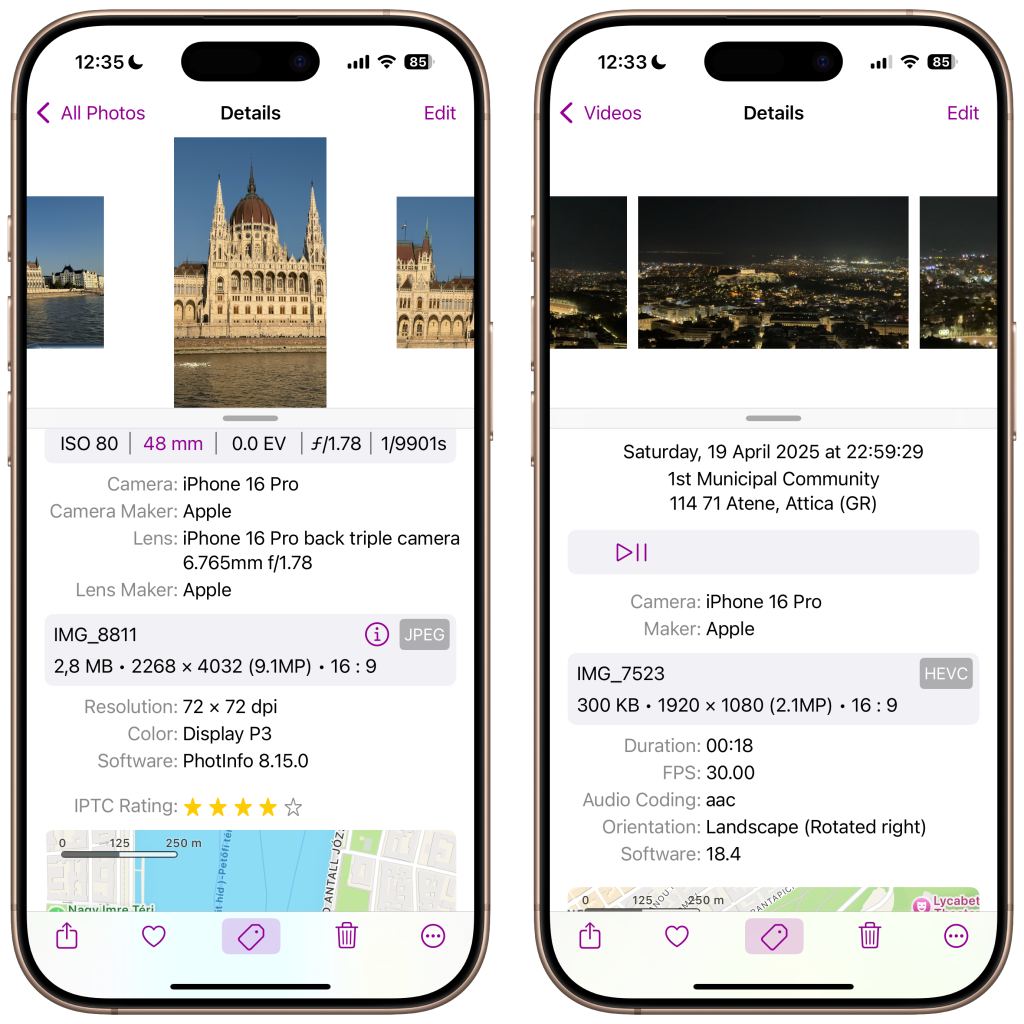
We are back with a fresh release: PhotInfo 8.12.0 & PhotInfo 4.12.0 are now available! 🌟 New Feature: IPTC StarRating Editability You can now add or modify the StarRating directly in the Edit IPTC tags view. Whether you’re sorting your best shots or curating a gallery, this gives you more control over how your images are rated. The rating is visible in both the Details View and the All Tags View, whenever available. A small change that makes a big difference for photographers and archivists who rely on metadata for organization and curation. 🎬 Fix: Video Orientation Edited videos now display with the correct orientation —no more sideways or upside-down surprises. ...

August 25, 2025 · enrico

PhotInfo 8.11.0 & PhotInfo NG 4.11.0 — A Touch of Polish After the Press Kit

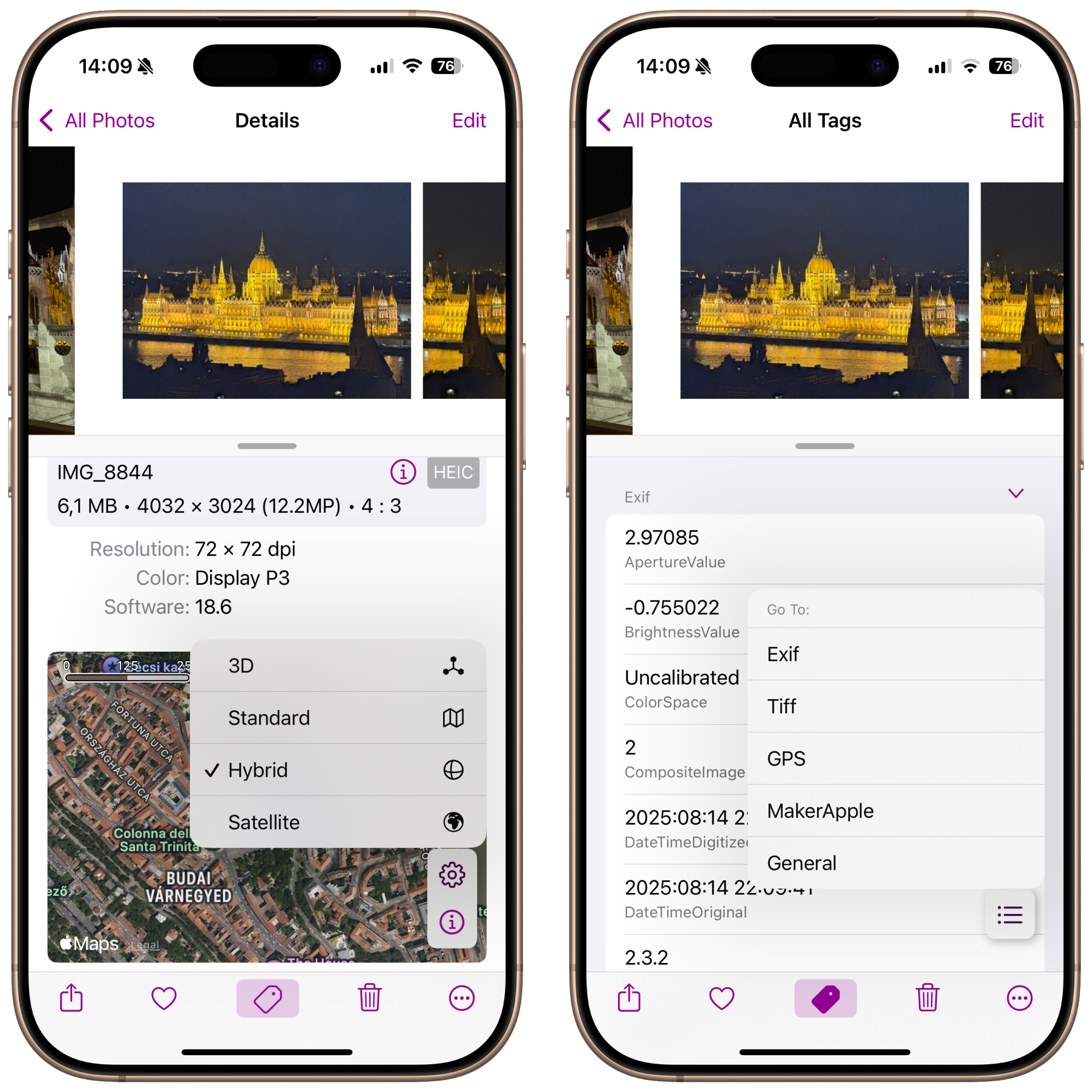
After the release of the Press Kit and the spotlight on version 8.10.0, many users were curious: would the next update bring sweeping changes or a long wait? We’re happy to say that PhotInfo 8.11.0 has arrived — and while it’s not a headline-grabber, it’s a thoughtful refinement that keeps the app evolving. 🎨 Restyled Map Settings Menu in Details View The Map Settings menu has been visually refreshed for a cleaner, more consistent look. No new options — just a smoother interface that makes interacting with location data feel more intuitive. ...

August 18, 2025 · enrico

📣 New Press Kit Available for PhotInfo 8.10.0!

After months of refining and enhancing PhotInfo, version 8.10.0 marks a significant milestone in the app’s evolution—and now, it’s time for the Press Kit to catch up. We’re excited to announce the release of the updated Press Kit for PhotInfo 8.10.0, now available for download. This refreshed media package reflects the latest improvements, features, and design updates that make PhotInfo more powerful and user-friendly than ever. 🆕 What’s Inside the New Press Kit? ✅ High-resolution screenshots showcasing the latest UI ✅ Updated app icon and branding assets ✅ Feature highlights and technical specifications ✅ A concise media guide for journalists and bloggers Whether you’re writing a review, preparing a feature, or simply want to explore what makes PhotInfo stand out, the new Press Kit is your go-to resource. ...

August 9, 2025 · enrico

PhotInfo 8.10.0 & PhotInfo NG 4.10.0

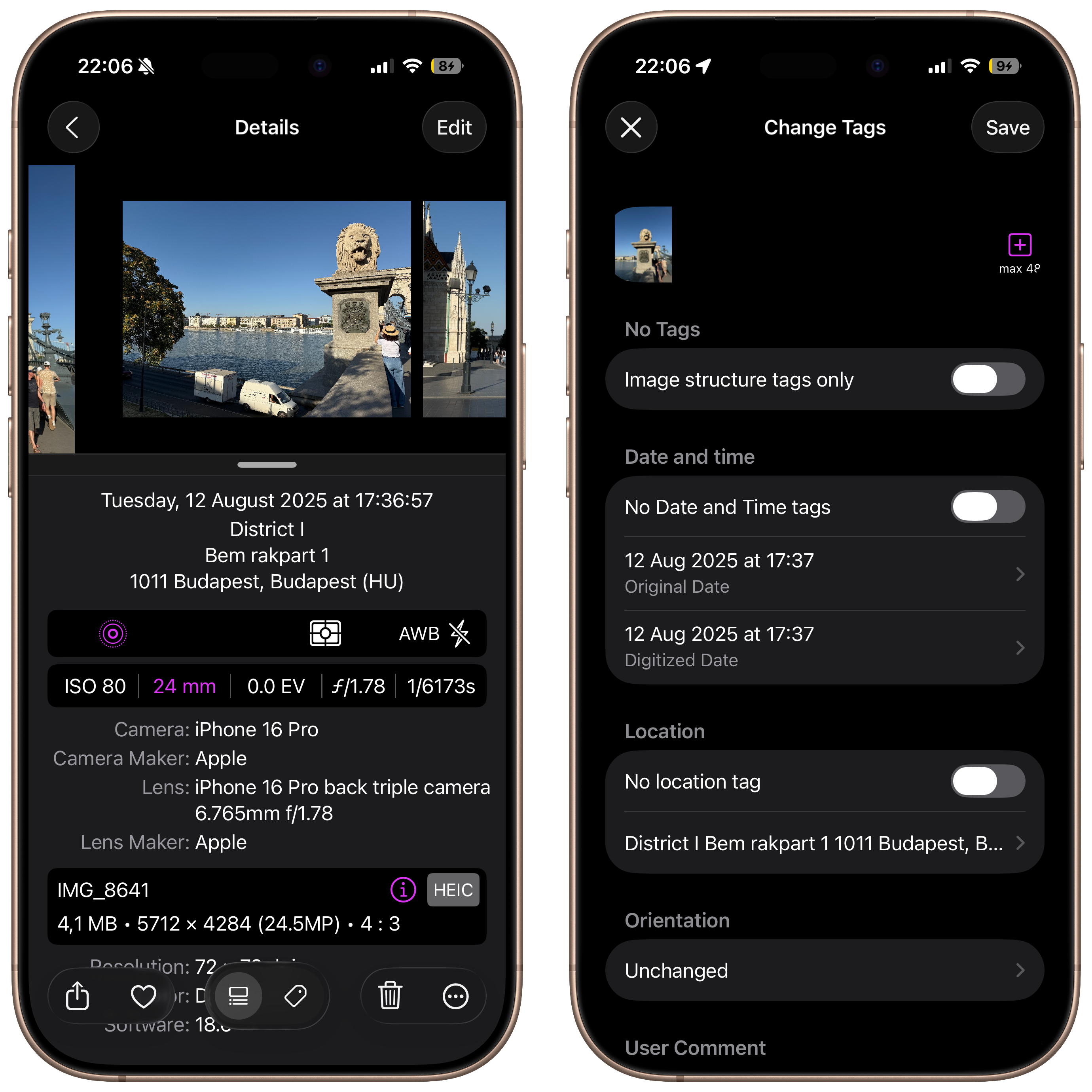
What’s New You can now edit images while preserving advanced photo data, including Semantic Segmentation Mattes and HDR Gain Maps The “New Picture with Name” feature is now official – the [Beta] label has been removed Fixed an issue when saving edited images to the Files app Improved reliability when switching between albums Thanks for using PhotInfo! If you enjoy the app, consider leaving a quick review 📷✨

July 11, 2025 · enrico

Still active after 12 years

Can an app still be active after more than 12 years? New releases of PhotInfo in the last months

June 2, 2025 · enrico

PhotInfo 8.09.0 & PhotInfo NG 4.09.0

• ✨ A brand-new, modern and dynamic Sharing menu – smoother, faster, and easier to use • 🐞 Fixed an issue with the Rate App alert • 🧹 Removed unused code and images: the app is now even smaller and lighter

June 2, 2025 · enrico

PhotInfo 8.08.0 & PhotInfo 4.08.0

Introducing a brand-new feature – now in beta: You can save an edited photo with a custom file name! Perfect for staying organized your way. This feature is still in testing, so if you run into anything odd, we’d love your feedback! ✨ More new features and UI improvements are on the way – stay tuned, exciting things are coming soon! Thanks for using PhotInfo – you’re helping make it better every day! 📸✨ ...

May 22, 2025 · enrico