Newsairy 1.24 is here, with a way to stop an article from being marked as read before you get to it.
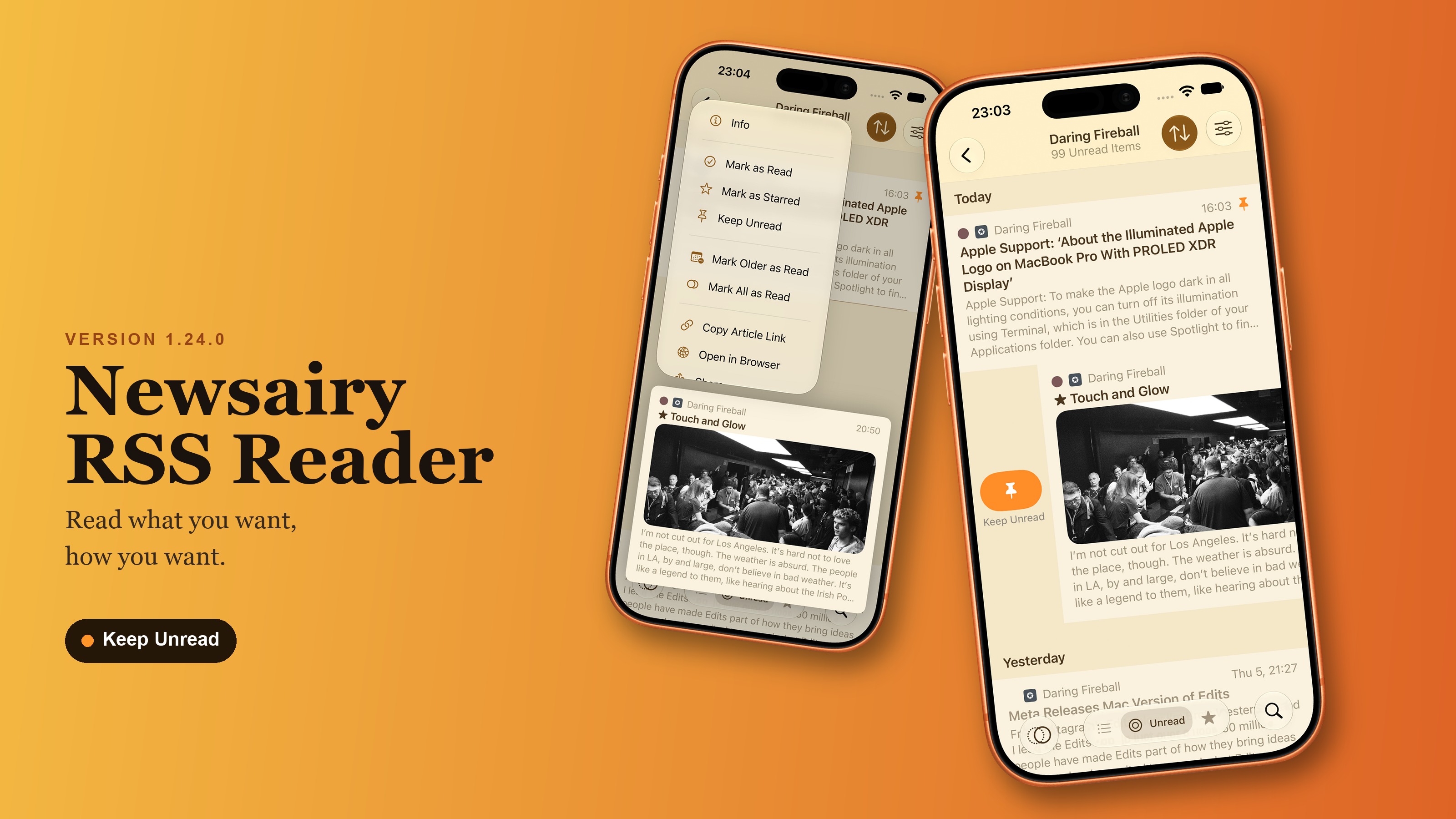
Stopping an article from being marked as read. Keep Unread (the pin icon) sits in the article’s context menu, the reader’s … menu, and Article Info. A kept article shows an orange pin in the list, and scrolling past it with Mark as Read on Scroll on, Mark All as Read, and Mark Newer/Older as Read all skip it — the articles around it still get marked.
Clearing it. Opening a kept article, or marking it as read yourself, clears the pin. Using Keep Unread on an article you’ve already read puts it back to unread — handy when the scroll has taken one too many. The pin syncs across your devices over iCloud; with an aggregator, it stays local to that device.
Swipe actions. With Mark as Read on Scroll on, the Read swipe becomes Keep Unread (shown in orange), and Read moves to the context menu. Settings → Swipe Actions describes the swipe correctly either way. On the Star side, swiping now also surfaces Info (purple), which is also the first item in the context menu.
A few fixes too: marking as read on scroll now triggers as soon as an article slides under the top bar, instead of a little later; the Pro screen lists all five supported aggregators; the article preview leaves space above the content only when it starts with an image; and marking and starring articles in long lists feels quicker.