Newsairy 1.20 is here, and the big one this time is AI summaries, run entirely on your device — offline.
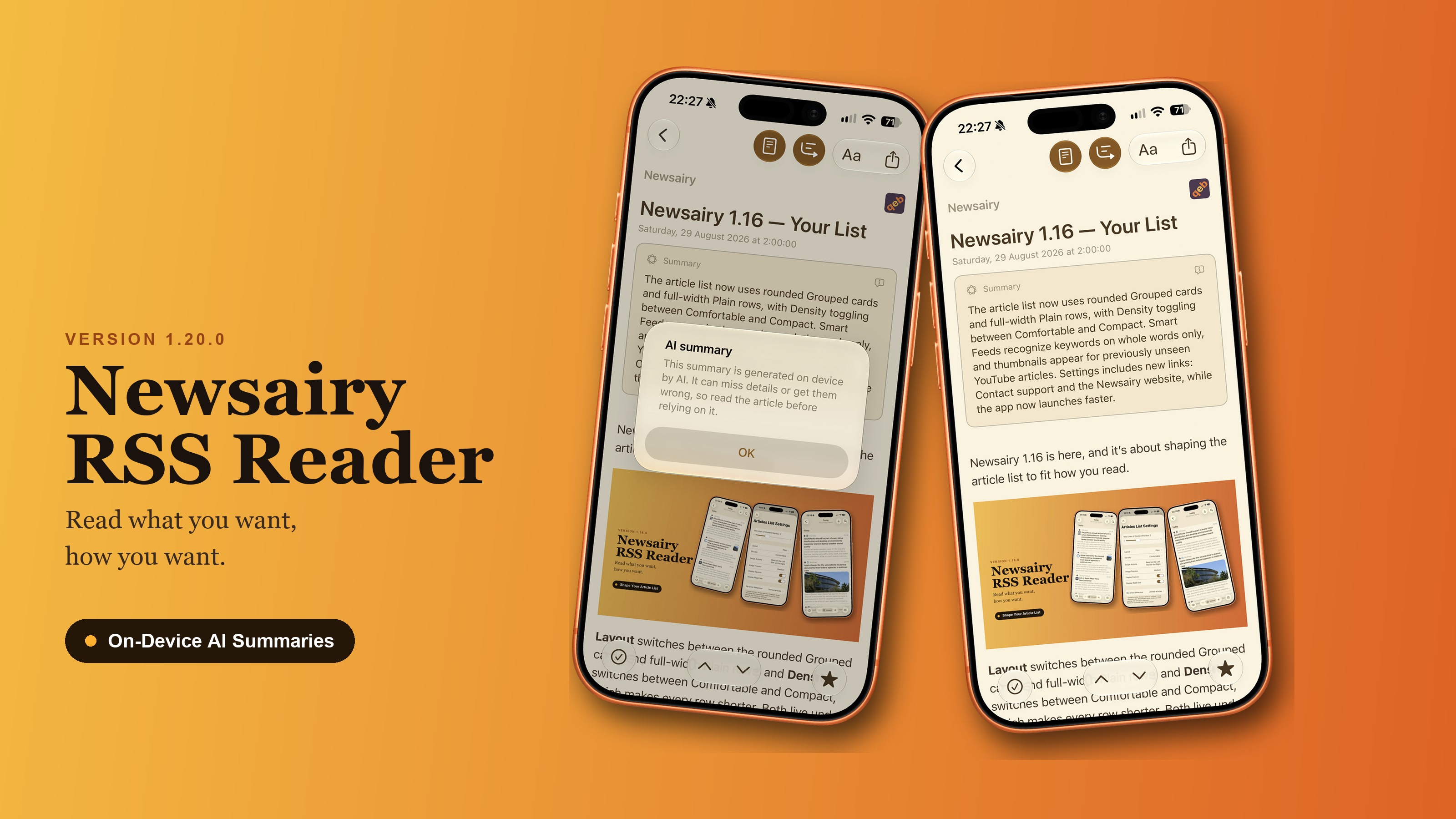
On-device summaries. A new Summary button in the article toolbar produces a short summary card under the title, on iOS 26 and later, using Apple’s on-device model — nothing leaves your device. The source is the actual web page, fetched through the same chain as full text, with the feed’s own content as a fallback; results are cached to disk, so reopening an article is instant. The button simply doesn’t appear where the model can’t run, rather than showing up broken, and a failed summary is just a state of the card, never an alert. Articles under 200 characters aren’t even attempted.
In Settings → Debug Info, the new Summary cache gets its own size and its own trash icon too, so you can clear it without touching FullText or your articles.
A handful of smaller things came with it:
- Signing in to FreshRSS or The Old Reader could wrongly reject a correct password — certain special characters were being altered on the way to the server. Miniflux, Feedbin and Inoreader were never affected.
- Scrolling while the app is refreshing is smoother now, including inside a smart feed.
- A feed whose address contains a
%-escape (like%2bfor+) used to be accepted and then download nothing — fixed. If you have one sitting empty, delete it and add it again.