Everything Newsairy knows about an article, now in one place — and a lighter app underneath.
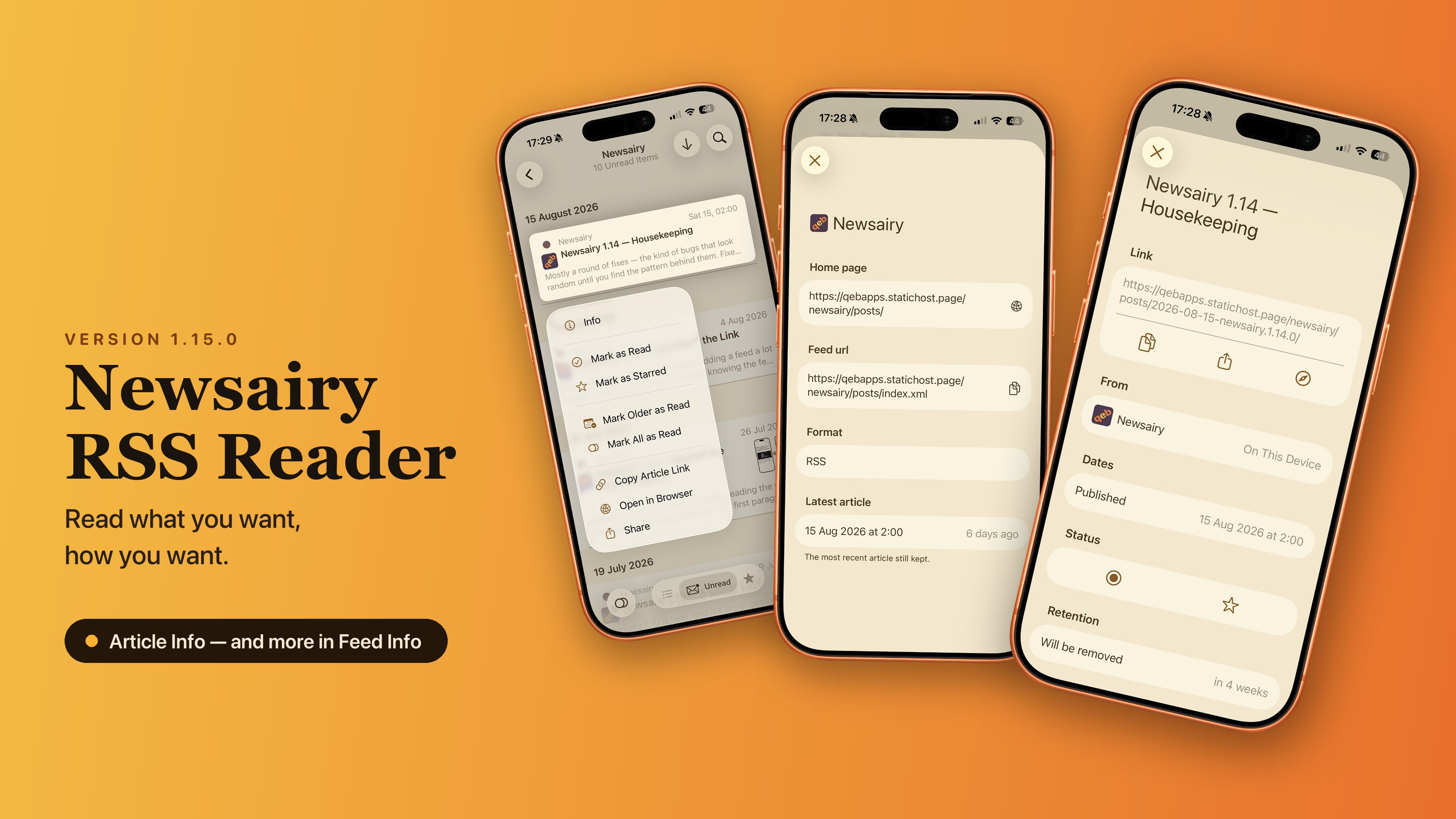
Article Info is a new sheet, opened from an article’s context menu in the list. At the top, the title and the link, with copy, share, and open in your browser. Below that: where it comes from — the feed’s name and avatar, and which archive it lives in: local, iCloud, or one of the aggregators, which matters most in the lists where an article turns up on its own, like smart feeds, folders, or Read History. Its dates — published, updated, and when you read it; the updated date only appears when it differs from the publication one, which means the piece was rewritten after it went out. Read and starred, both switchable from there. And when retention will delete it — or a reminder that starred articles are never removed.
Feed Info gets two more lines: the feed’s format — RSS, Atom or JSON, as detected on the first fetch — and the date of the newest article still in the archive, with the relative form beside it (“3 weeks ago”). It’s the newest article Newsairy still keeps, not the newest the feed has ever published — a feed that’s gone quiet gives itself away at a glance.
Two things also got faster: preparing an article’s text no longer holds up the interface, and articles that arrive empty aren’t examined over and over any more.
Under the hood, Newsairy starts its move to Swift 6, which will be complete with 1.16. Its dependencies are up to date too, and there are two fewer of them.