PhotInfo 6.11.1
PhotInfo starts to support the new ProRaw image format.
PhotInfo starts to support the new ProRaw image format.
Merry Christmas from me 🎁👍 Thank you to Indie App Santa. 〝 🎁 1⃣ 9⃣ 🎁 [iOS] Ever wanted to be a detective? 🕵️🔎 Get plenty of useful informations (location, date, dimensions, camera …) of your photos with PhotInfo, available for free on the App Store! 🖼️ (regular price: $1.99) 👉 https://t.co/1PnTPKF5DO pic.twitter.com/DqnG7f0iTb — Indie App Santa 🎄🗓 (@indieappsanta) December 19, 2020 〞
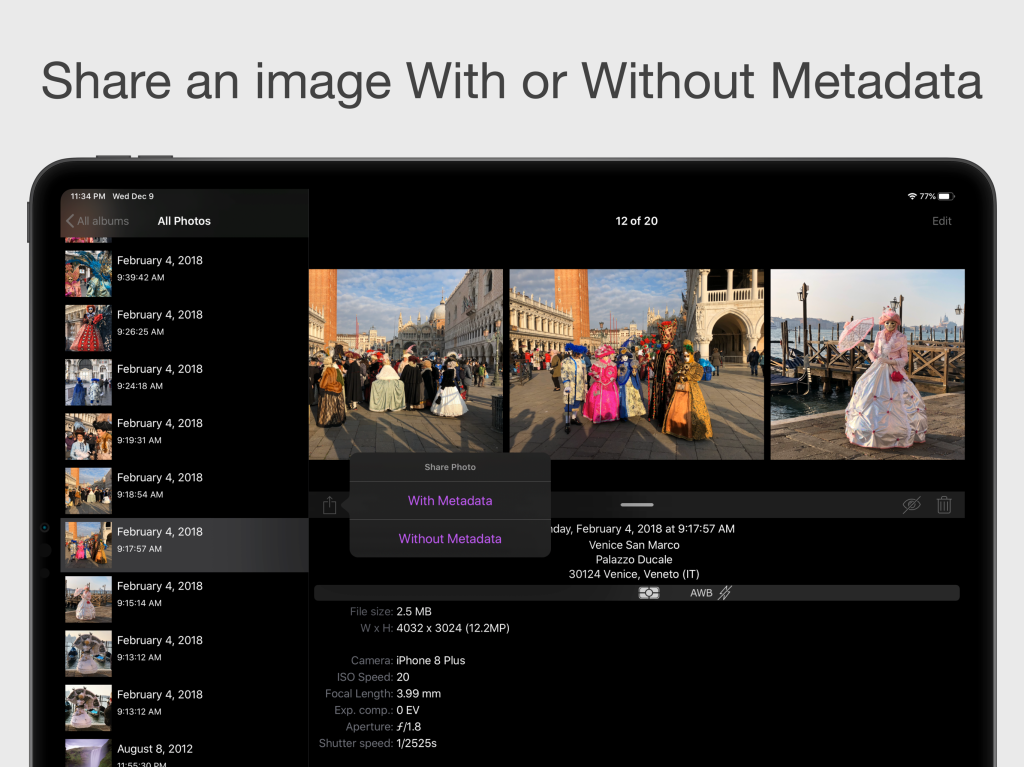
Starting from the new PhotInfo 6.11.0 (and the corresponding 1.01.0 for the Mac) it is possible to share an image with or without its exif tags directly from the toolbar. PhotInfo 6.11.0 Moreover, in this version there are a some small UI changes and fixes: Reduced information density in the table listing photos line by line (not in the grid) “Rate on the App Store” goes directly to the review page (instead that only on the app page in the App Store) fixed a caouple of recent regressions: some wrong theme colors and return to the classic DataPicker in iOS 14
For a few days now PhotInfo is available on the Mac. The app works like on iPhone/iPad: it only accesses the pictures in your Photos Library (the ones you see in the native Photos app). PhotInfo for Mac shows all the tags contained in these images and let you modifying the main ones. The UI is very similar, but it’s not the same: it’s optimized for the Mac. If you buy PhotInfo (or unlock the editing in PhotInfo NG) on one platform you can download the app on the other platforms for free. ...
It’s the first update for PhotInfo on mac. There are a couple of bug fixes and the icon is now rounded.
It’s time to arrive on the Mac for PhotInfo NG, too. With version 1.15.0 it’s optimized even for the new Apple Silicon Macs.
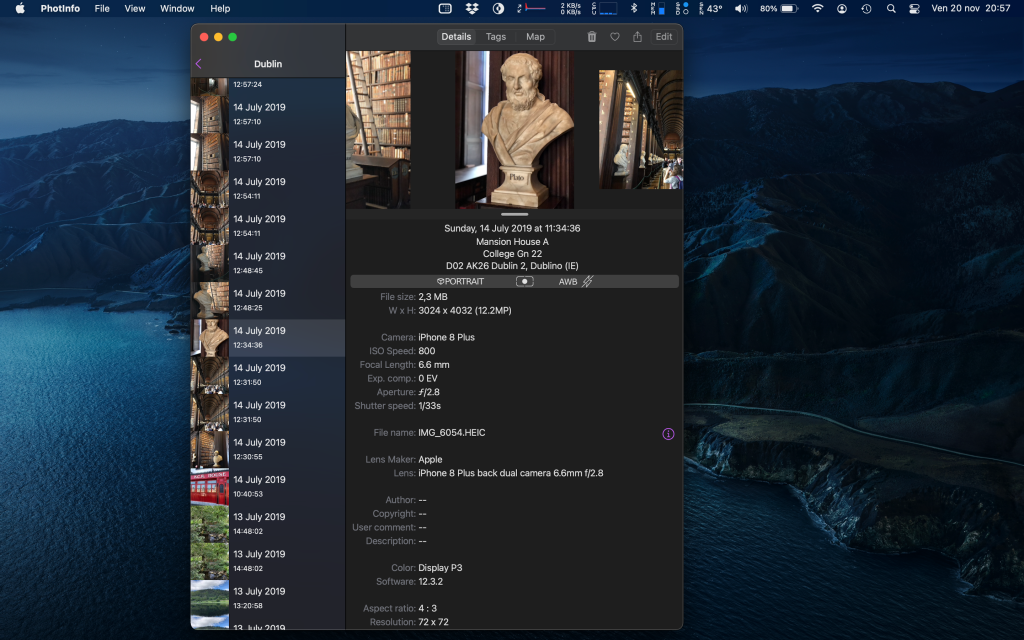
PhotInfo, with version 6.10.0, arrives on the mac; it needs macOS 10.15 (Catalina) or 11.0 (Big Sur). PhotInfo on macOS
This versions fix a couple of bugs: a 🐞 that prevented to change icons on iPads; another 🐞 related to sharing some types of resources.
What’s new: Alternate icons return in PhotInfo Some little UI changes: large navigation titles in the first views
Alternate icons; large navigation titles in the first views.
For the first time the 2 apps has an new version in the same minutes. What’s new: the accessibility is improved with a better support to Voice Over and to Smart Invert Color.
A new update to catch up on PhotInfo 6.01.0.
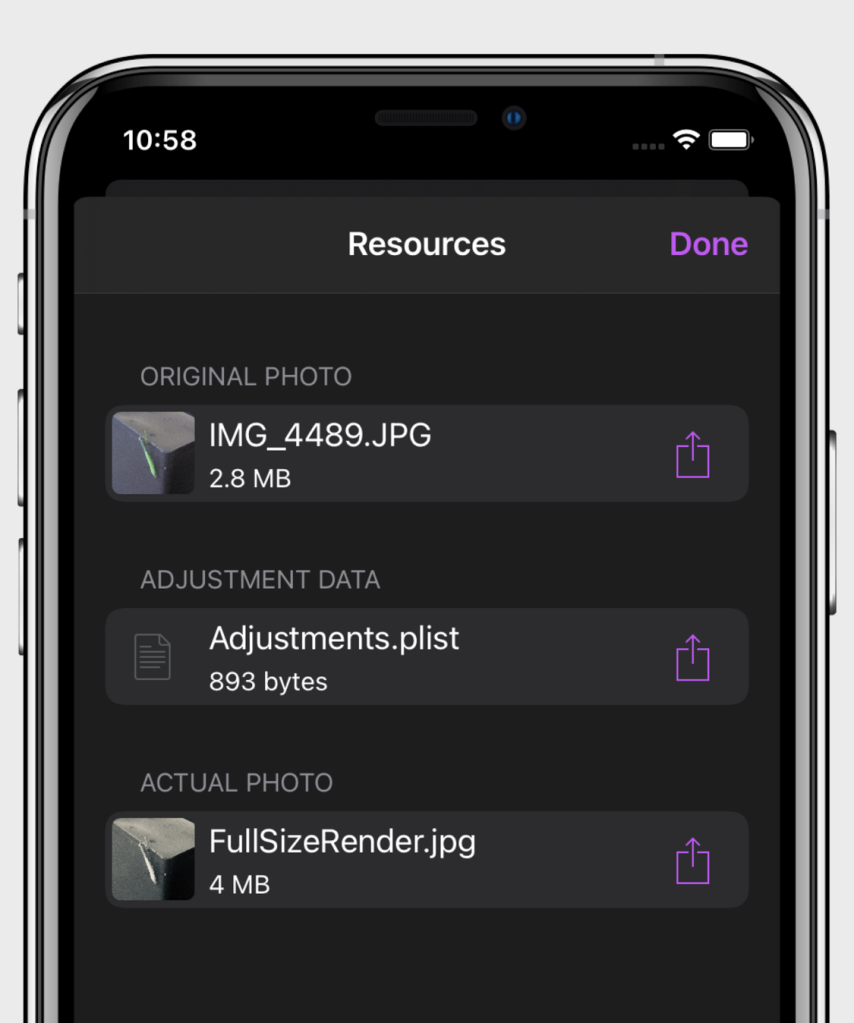
What’s new: when a photo is edited on iPhone or iPad, it becomes associated to more than one files, for example: the original image, the actual one and some data related to the change. In PhotInfo 6.01.0, when more than one file are associated to a photo, an info button appears near the file name and opens a view listing the associated files; hides toolbar buttons (instead of disable them) when they are not available. PhotInfo 6.01.0
What’s new: hides toolbar buttons (instead of disable them) when they are not available.
A new update to catch up on PhotInfo 6.00.2.
Some improvements to the user interface: avoid to present the “Modify” button when the picture cannot be modified (e.g. photos from Shared Albums). settings and About Views with a grouped style table (starting from iOS 13) small changes at cells with photo preview more space on top of the Details View table
What’s new: Allow to edit the Photo Access starting from the internal settings on iOS 14.
What’s new: Some tweaks on the colors in dark mode. Allow to edit the Photo Access starting from the internal settings on iOS 14.
It’s available the PhotInfo 6.00.x PressKit.
What’s new: improvements on image rotation fixes on downloading images from iCloud