PhotInfo 8.05.1 & PhotInfo NG 4.05.1
Small changes and fixes: Improved loading and viewing of Live Photos Small optimisation in the Full screen view
Small changes and fixes: Improved loading and viewing of Live Photos Small optimisation in the Full screen view
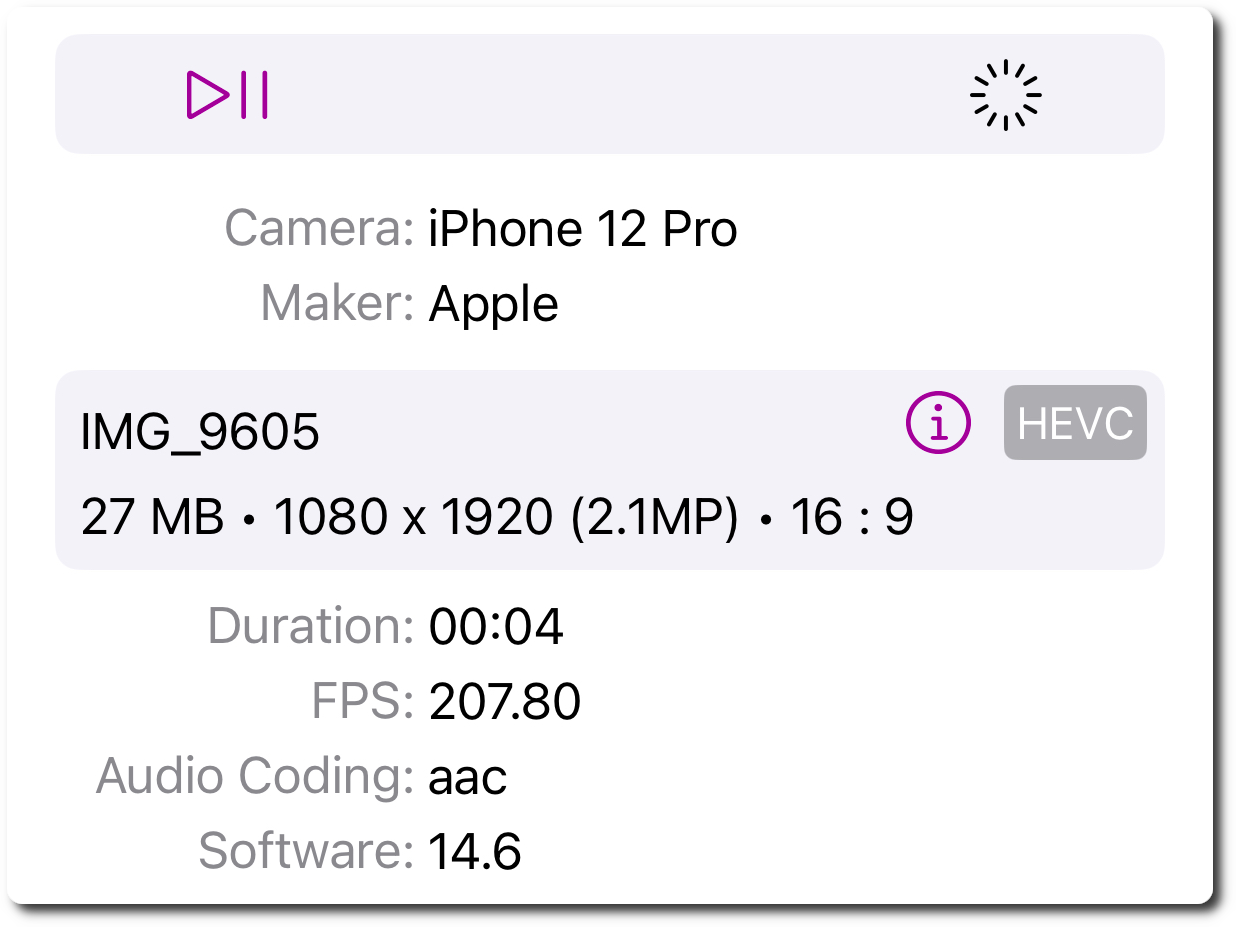
Finally some new features: Added support for more formats in video export (automatically choosen) Display audio codec (for video)
Optimisations under the hood: this update improves reading of Resources files.
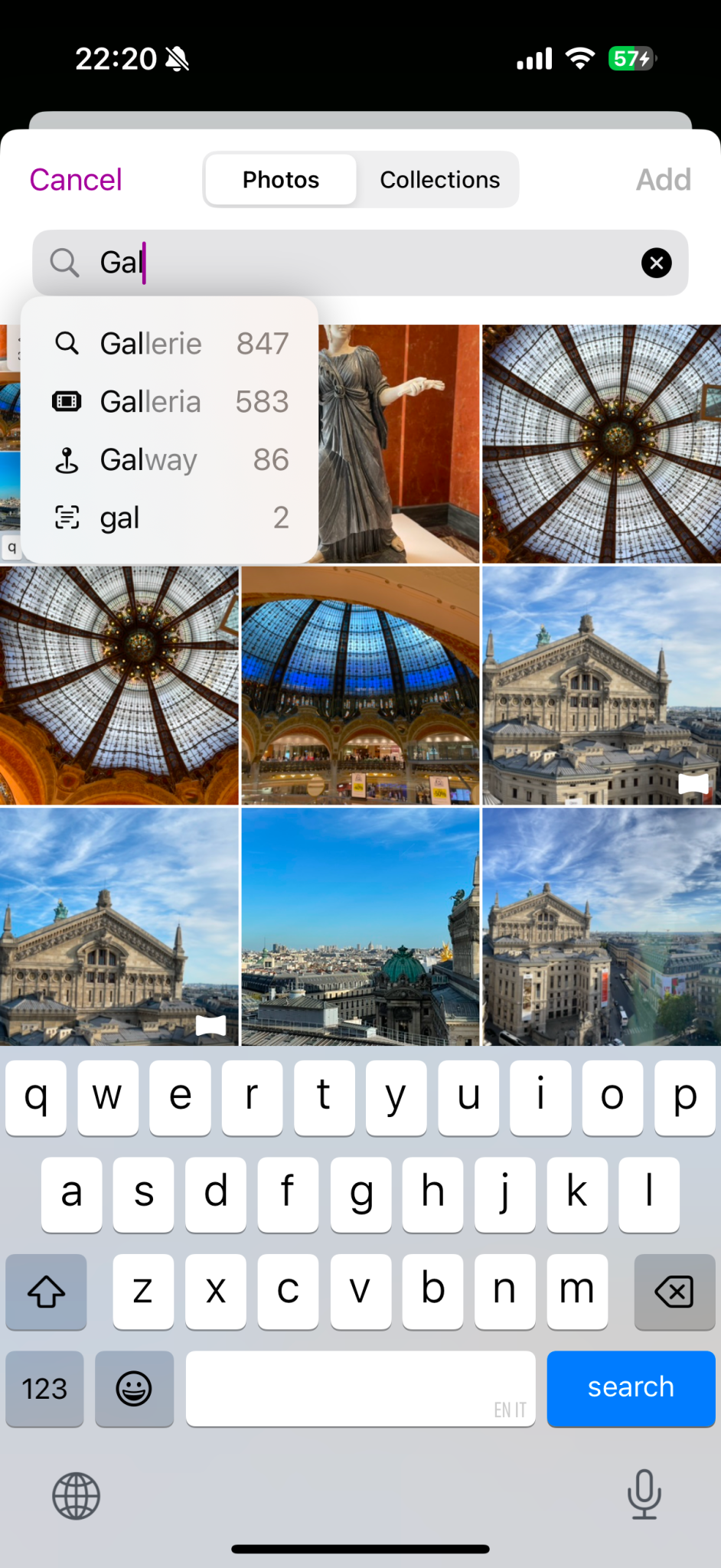
Added option to search for images for users who have granted full access to the photo library (others can search while selecting images to grant access to). So, you can search as: “Galway”.
Another fine tuning update: more optimizations and small fixes to improve performance and stability. This meticulous effort involves refining the code base to eliminate minor bugs and ensuring a smoother user experience across all functionalities. By addressing these small issues, we pave the way for more significant improvements in future updates, ultimately leading to a more robust and reliable system for our users.
This update contains a bunch of small optimisations aimed at boosting performance and stability, enhancing the overall user experience.
Finally PhotInfo is on Mastodon! Come follow me at https://mastodon.social/@photinfo
What’s new: Add “Keywords” and “Credit” items in Details View Add option to hide empty elements in Details View Plus lots of small improvements aimed to boosting performance.
This version fixes a possible crash qhen editing photos.
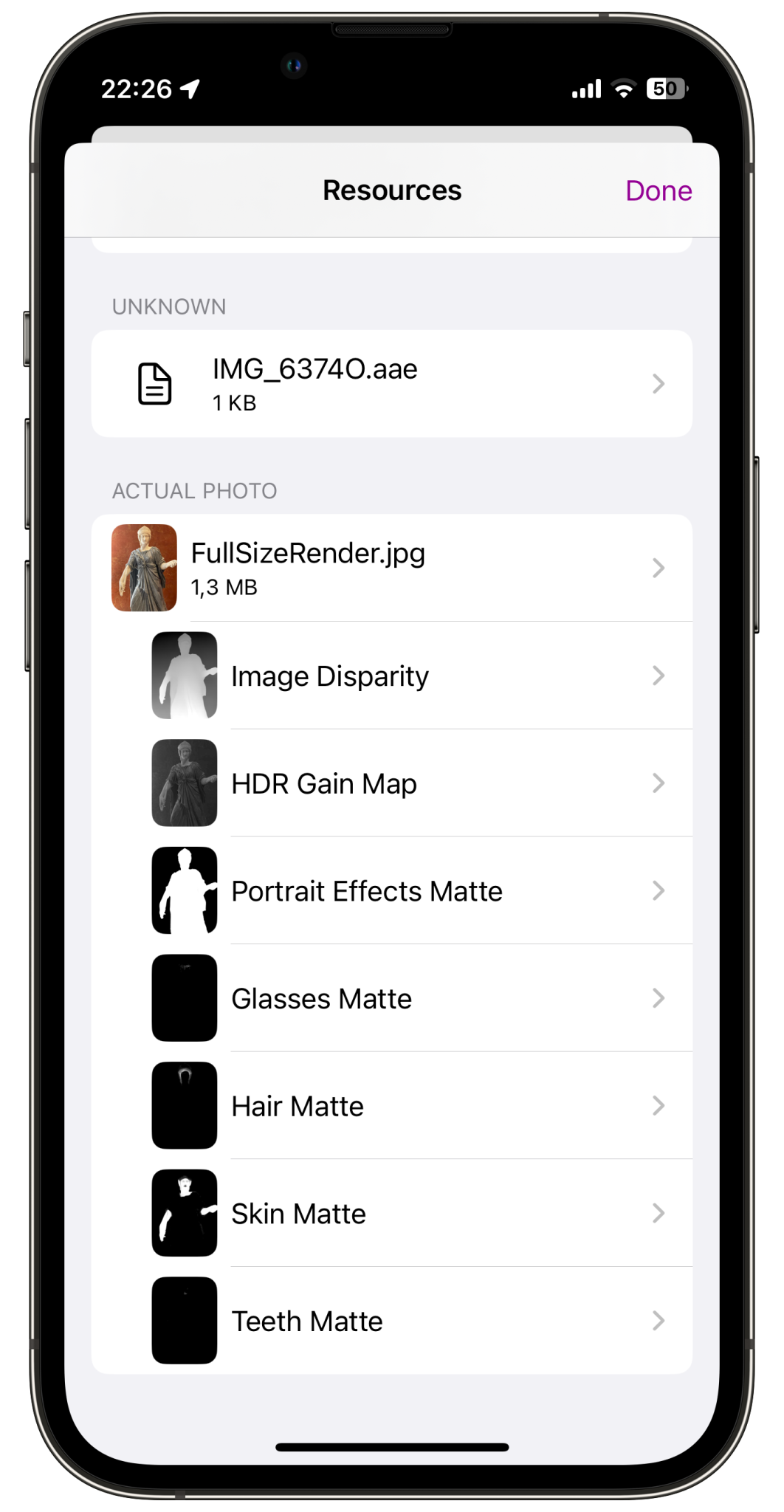
What’s new: Auxiliary data in resources view (no more a preview) Fix smart albums (they disappeared on iOS 18) The latest iPhones’ Camera app automatically embeds auxiliary data into Portrait Photos, including the disparity (depth) map, Effects Matte, and Glasses Matte, among others. These elements are crucial for applying Portrait Effects to photos. Now, this auxiliary data is clearly visualized and displayed in the Resources view, allowing you to preview and export them. This enables you to apply your own manual effects using other image editing apps. (See also: turn photos into portrait) ...

What’s new: Optimised for iOS 18, hence the version number. New icon, optimised for the new dark and tinted modes. Improved map in Detail View; new animation when scrolling from one photo to another. A preview of coming features: The Resources view now supports auxiliary data such as HDR gain map, disparity map, portrait effects matte, glasses matte, hair matte, skin matte, teeth matte and sky matte. Tinted icons
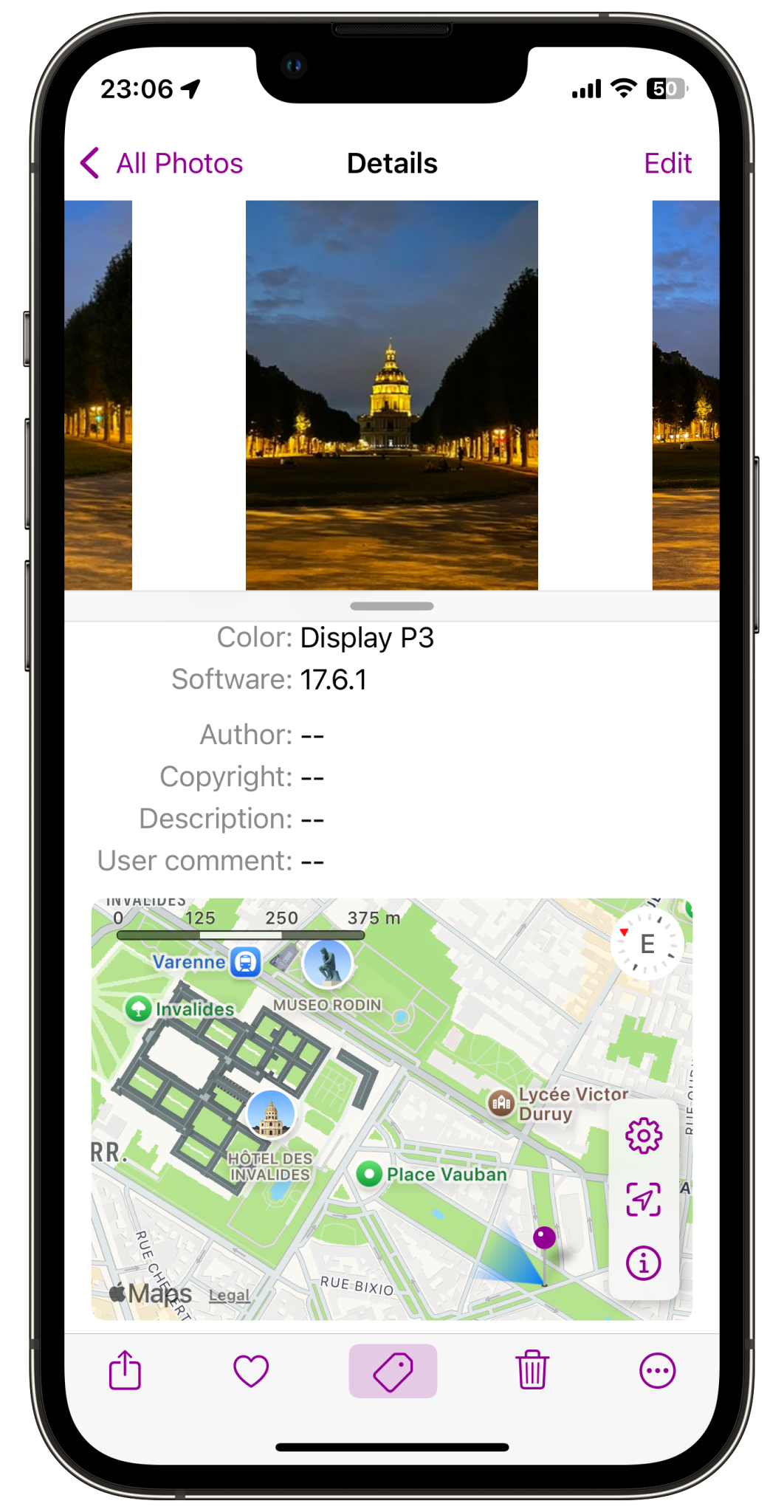
Improvements to the Map in the Details View: added a map scale (previewed in NG 4.00.7) bigger size map slightly changed the colours of camera facing direction: light and dark mode
Small optimizations in the template for IPTC changes. If you enjoy using PhotInfo a (great) review on the App Store is always appreciated. Your feedback helps me improve the app.
We squashed some more bugs! 🐞🪲 I want to thank those users who reported these bugs and then tested the pre-release versions to make sure they were fixed. Your feedback is valuable to us as we continually strive to provide the best app possible. Thank you for your support and patience as we work to improve your experience. Here are a list of some of the fixes we implemented in this update: ...
A boring update: bug fixes and performance improvements 🥱
This version improves the management of the map in Details view.
Get PhotInfo for 50% off for IndieAppSales July ‘24! 🎉 From now until July 15th 🤑
Small improvements to the (fetching of) human readable address.
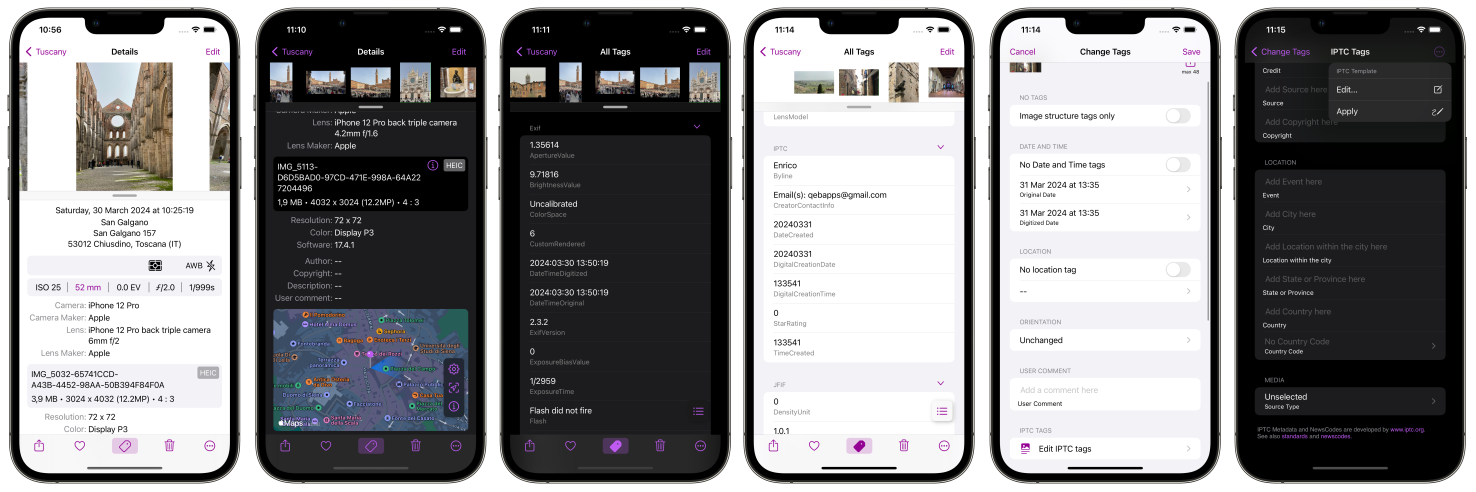
Finally the new versions of PhotInfo and PhotInfo NG! Of course, they are the best versions ever! 🤩 In these new versions, users will find convenient new pages specifically designed for editing IPTC tags. Additionally, the introduction of a dedicated template for these tags ensures a consistent and efficient approach to organizing and labeling media content according to IPTC standards. These enhancements provide a smoother, more streamlined workflow for users and professional photographers, helping them save time and effort when working with IPTC tags. ...
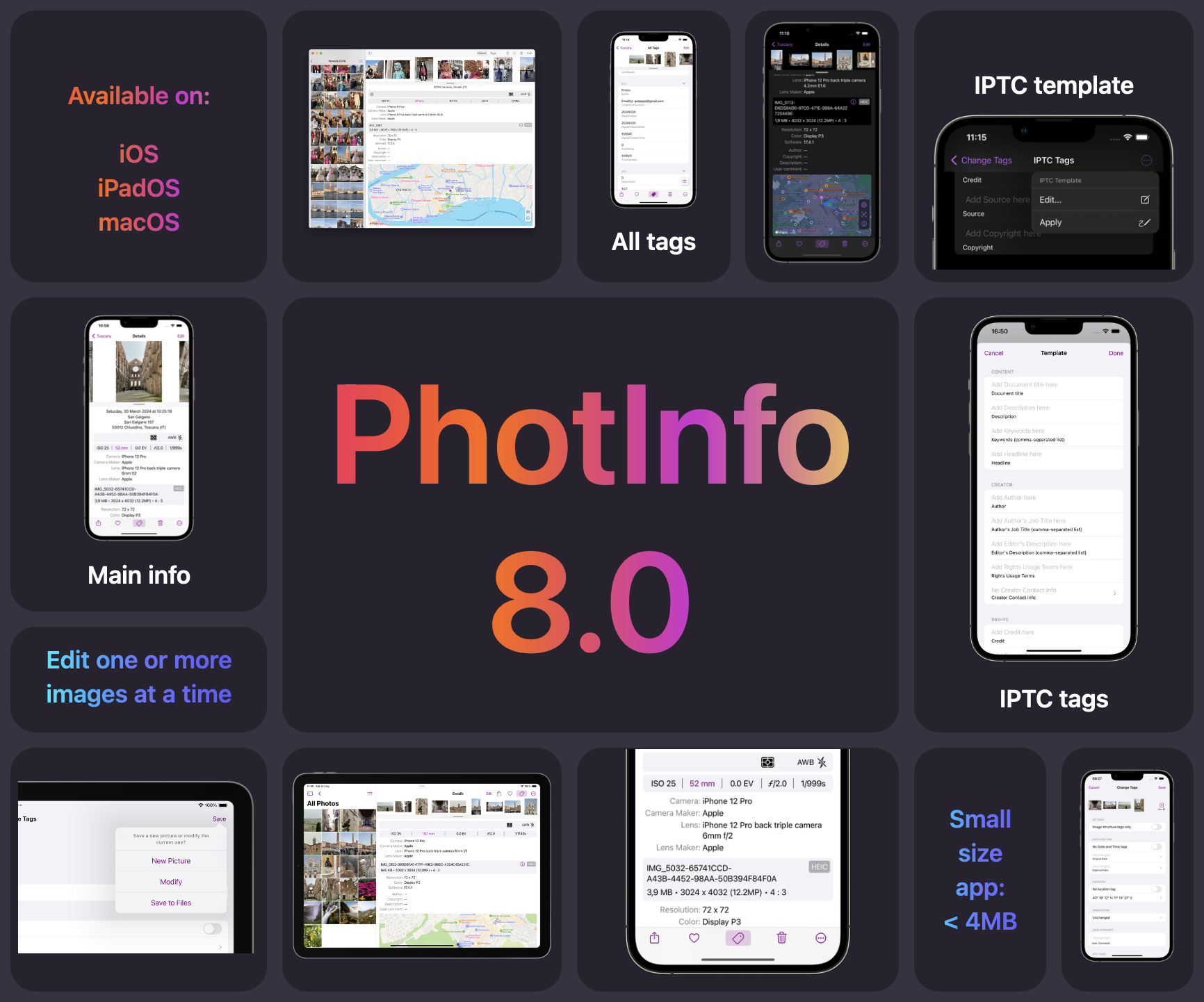
PhotInfo 8.0 and PhotInfo NG 4.0 are coming soon! 🎊 The new version will have a slightly changed user interface, featuring a more streamlined and intuitive design that enhances user experience. Additionally, it will be a lighter app, optimizing performance and reducing resource consumption. However, the standout feature of this update is the introduction of a new dedicated page specifically for editing IPTC tags. This new functionality will provide users and professional photografer with greater control and flexibility in managing their image metadata, allowing for seamless organization and categorization of digital assets.