Why PhotInfo

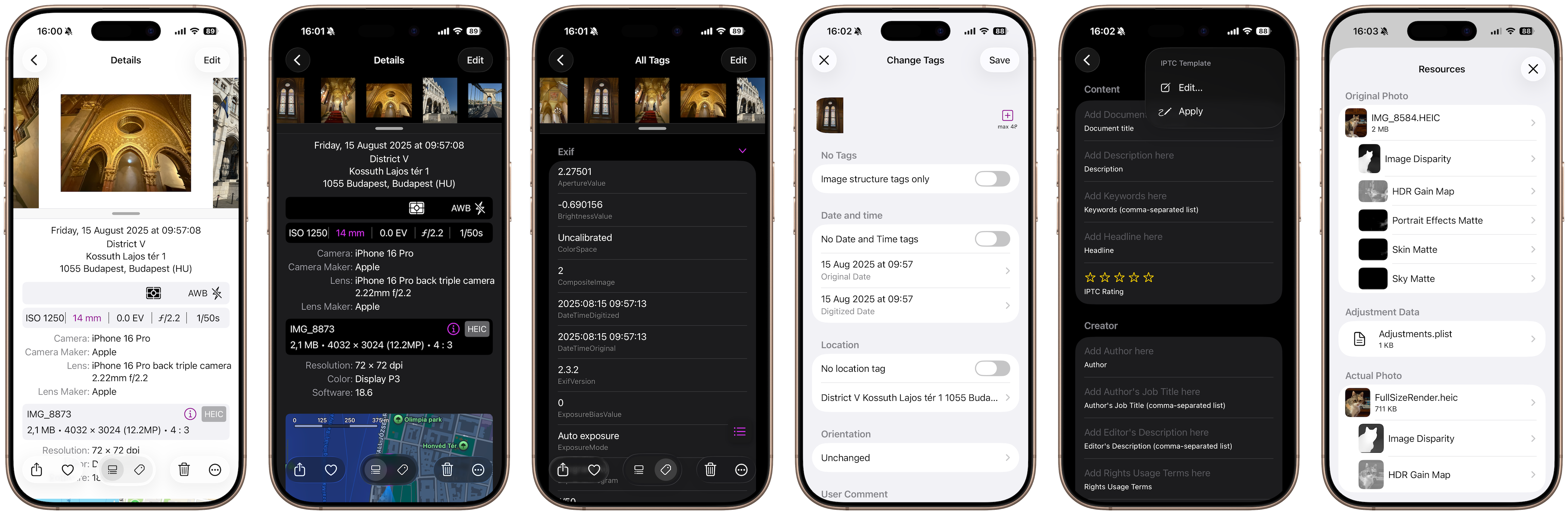
With PhotInfo you can access images in your iPhone, iPad or Mac and view all of their metadata, delete these metadata or edit the main ones.
You can delete/edit image tags to protect your privacy before sharing the image; you can add GPS data if you had forgotten to turn on location services when you took the picture; you could joke by setting improbable location values; you can reset date or location deleted by a previous change; you can…
A user informed me that she utilizes the app in a photography class she teaches in California. Another user shared how the app assists in identifying the settings that enhance the quality of pictures and in refining photography techniques. How will you use PhotInfo?
Reading Tags

If you took a few shots in the same place, but some of them have turned out a failure, you can quickly determine where was the mistake by comparing the Exif tags of the two photos. Moreover you may learn about other people’s successful photo: find out what settings are the best to use in the shooting of some scenes.
With the PhotInfo’s Extension it is possible to view the main tags directly from other apps, like the native Photos app.
Changing Tags
You may delete/modify the image tags to protect your privacy before sharing the image; or you may add GPS data if you have forgotten to turn on location services when you took the picture; or you may joke by setting improbable location values; or…
Features
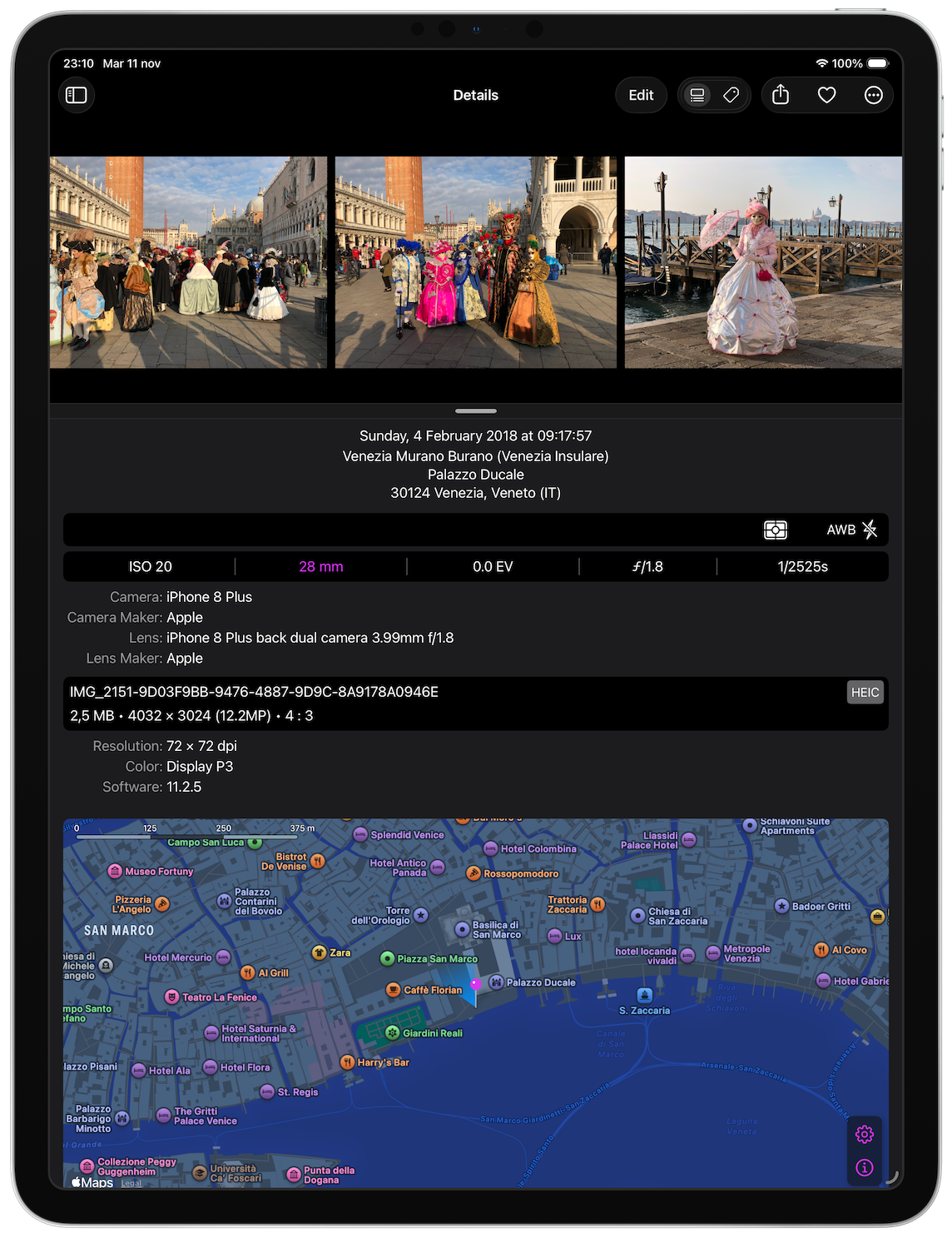
- View all the tags (Exif, Tiff, IPTC, etc.) from a photo, displayed either raw or in a human-readable format
- Display an image along with its main tags and a map of the location in a single view
- Share an image with or without tags
- Copy key data or content of individual tags
- Share all tags in raw, human-readable, or JSON format
- Edit or create copy of an image with modified tags:
- the place (you can get it from another picture, from a map, from your current position, by searching for it or using recently used locations)
- the date and time the photo was taken (using a calendar or from another picture or using recently used dates)
- the orientation
- the author (the artist)
- the copyright
- the image description
- main camera tags
- main IPTC tags
- Modify IPTC tags using values saved in a template
- Create a copy of the image with the minimum content of info in the tags (related to image data structure, such as the image size, resolution and orientation)
- Duplicate photos with custom names
- Edit batches of photos
- View where the photo was taken in various ways: map, address, coordinates
- Favorite or delete a photo quickly
- Scroll efficiently through iOS device albums
- View and navigate burst photos (iOS only)
- Access and share associated files such as original images or live photo videos
- View advanced image payloads like Semantic Segmentation Mattes and HDR Gain Map data
- No data is shared; only photo coordinates are sent to Apple’s servers to retrieve a human-readable address - and nothing else leaves your device. Starting from version 8.21.0, you can disable the reverse geocoding feature if you prefer not to send any coordinates.
- View the tags directly from other apps with the PhotInfo’s Extension
PhotInfo app is in constant development, so new features will be added soon. Download now and stay tuned!
Requirements: iOS 17.0, iPadOS 17.0, macOS 14.0 (Sonoma) or later.